
Fly an airplane at the library! Learn how to start up, taxi, fly, and land single- and twin-engine propeller planes.
Flight Simulator experiences are available on the 2nd floor by appointment by calling Technology Services at 630-423-6664, emailing the library, or booking online. Appointments are available Monday through Saturday.
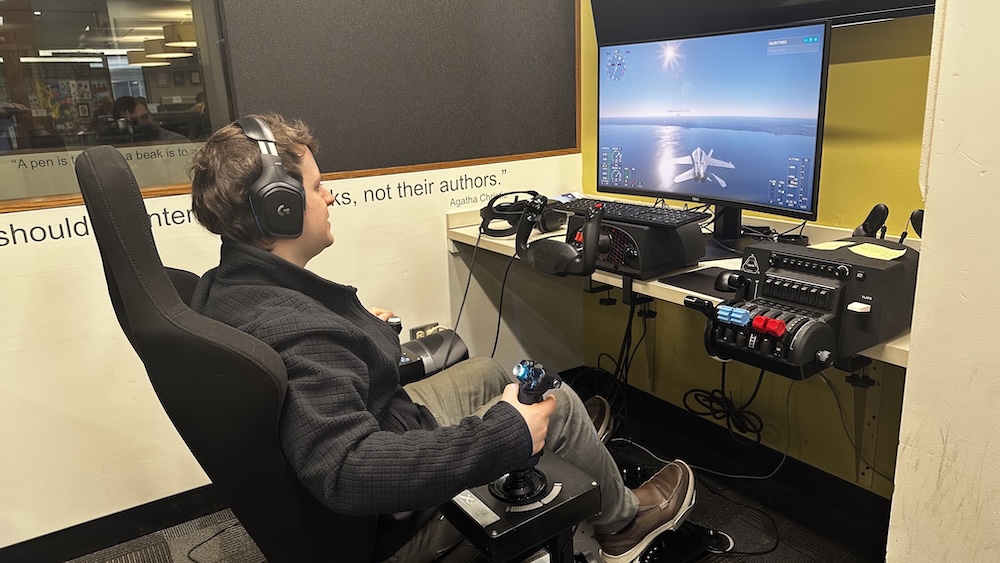
- Get kids (age 8 and older) interested in aviation
- Explore the world and fly over your house
- Learn about aerodynamics and get a hands-on feel for flight physics
- Try out simulators before investing in your own equipment
Why does the library have a flight simulator?
The flight simulator is for educational use and is not intended for use as a toy or an arcade game. Users have fun learning and exploring in a plane.
Are there age limits?
Yes, users must be age 8 or older.
Is the chair adjustable?
No, the chair is not height adjustable.
Are there any clothing or footwear restrictions?
Proper footwear is required. The flight simulator pedals are made of metal. Sandles and flip-flops are prohibited.
Are there booking restrictions?
Users are allowed to book one one-hour session per day.
Which peripherals do you use?
Honeycomb Aeronautical VIRPIL pedals and a SimFab chair.
Is the flight time loggable?
No, flight is for education and entertainment only. The flight simulator is not FAA certified for flight credit.
How many people can use the room at once?
Three
Can I fly a jet?
No, we do not currently support jet flight.
Does the library provide training or guidance?
Staff will help you learn how to operate the simulator comfortably by yourself.
How do I book an appointment?
Call Technology Services at 630-423-6664, email the library, or book online .
Which simulator do you use?
Microsoft Flight Sim 2020.
